
Adobe Trainer (Korean)
Adobe Certified Trainer

트리밍
Adobe Premiere Pro에서 클립을 다듬는 방법을 알아봅니다. 비디오 클립을 짧게 또는 길게 만드는 것이 얼마나 쉬운지 알게 될 것입니다.
This summary is AI generated
Learning Outcomes:
- Understand clip trimming techniques in Premiere Pro
- Apply ripple and rolling edits effectively
- Utilize various editing tools for precise adjustments
Level: Intermediate
Skills you'll gain:
Premiere Pro, Trimming, Editing, Adjustment
Key Insights
- Trimming adjusts clip start and end points.
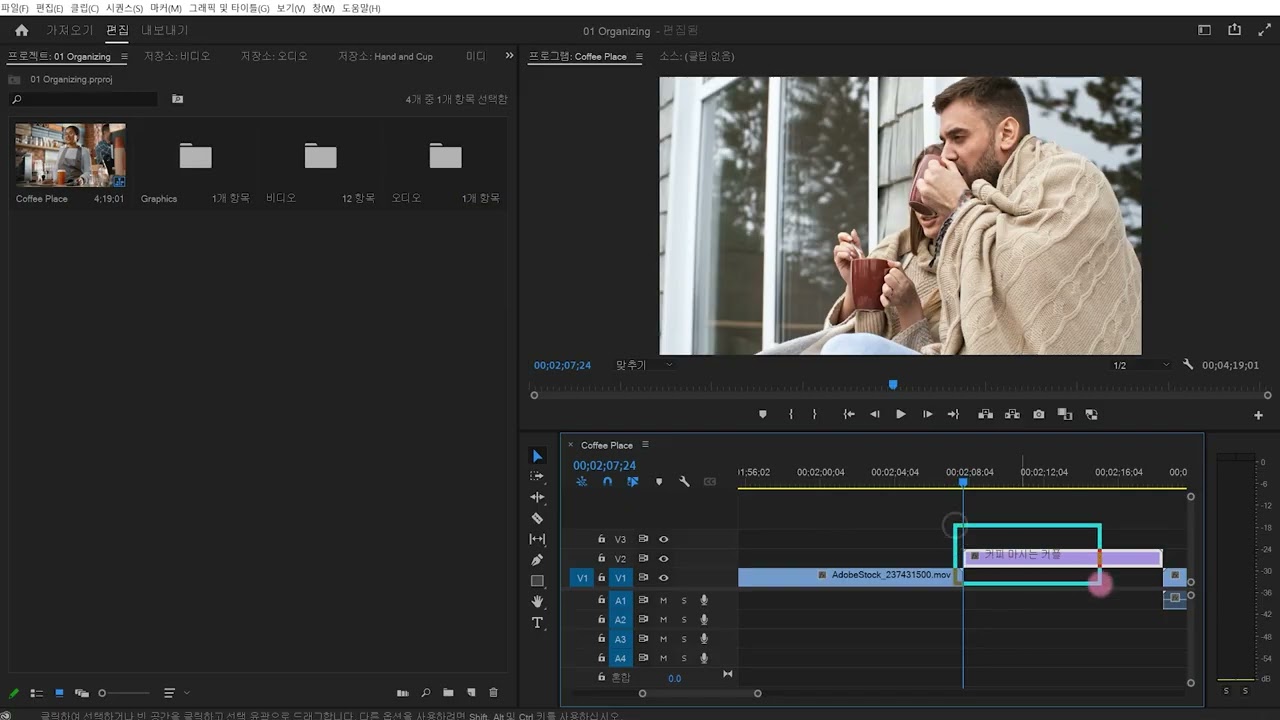
- Use Shift + TL to activate trim mode.
- Ripple editing changes adjacent clip lengths simultaneously.
- Rolling editing maintains overall project length.
- Use the slip tool for simultaneous start and end adjustments.
- Ensure smooth transitions by aligning clip directions.
- Access editing tools from the tool panel.
- Undo actions with Control + Z or Command + Z.
- Adjust clip positions and sizes using the selection tool.
- Check transparency settings for visual clarity.












 AdChoice