


Corrección del color
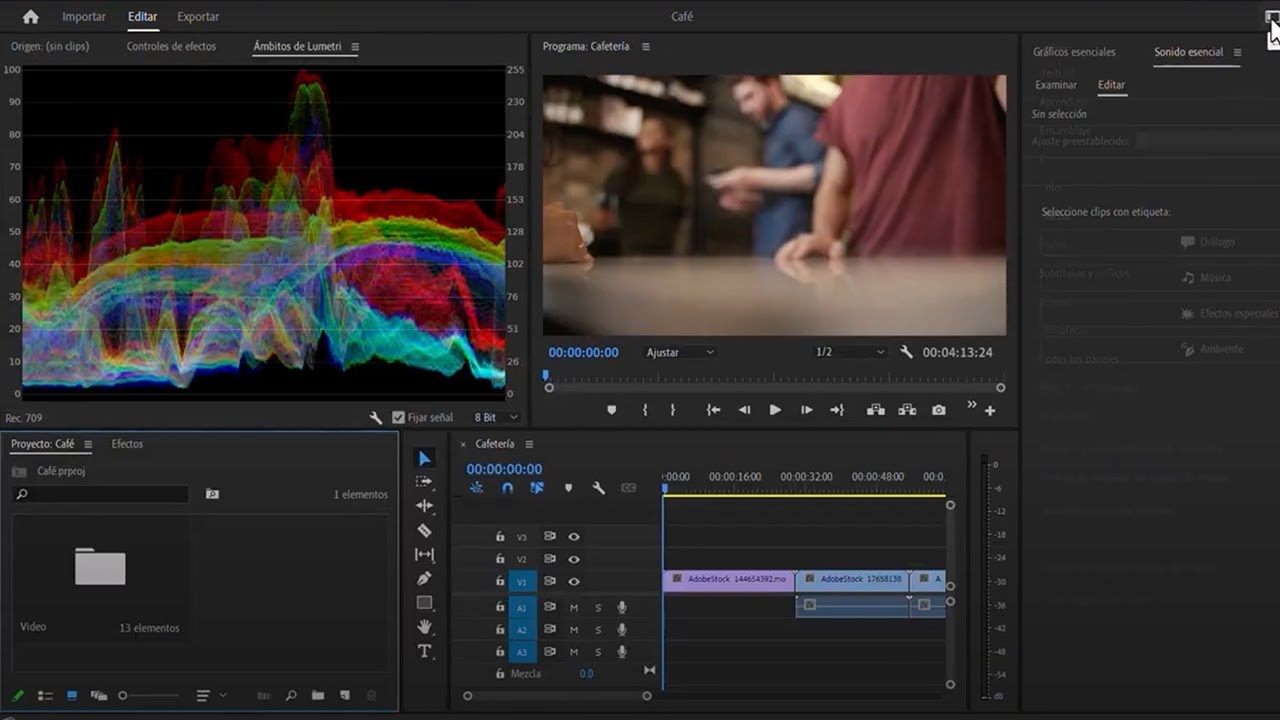
Aprende a corregir los colores de tus clips de vídeo utilizando el panel de colores Lumetri en Adobe Premiere Pro. Aprenderá a usar un monitor de forma de onda, vectorescopio y parada RGB.
This summary is AI generated
Learning Outcomes:
- Apply automatic color correction to clips.
- Adjust brightness and color balance effectively.
- Use Lumetri scopes for color analysis.
Level: Intermediate
Skills you'll gain:
Premiere Pro, Color Correction, Lumetri, Video Editing
Key Insights
- Understand the function of Lumetri color panel.
- Use waveform monitor to measure image brightness.
- Utilize vectorscope for chromatic information.
- Adjust exposure and shadows for better image quality.
- Match colors between clips using Lumetri tools.
- Copy and paste effects efficiently across clips.
- Rename effects for better organization in projects.
- Use adjustment layers for non-destructive editing.
- Apply vignettes and creative adjustments to enhance visuals.







 AdChoice